Let AI move into the company,
and everyone gets a step ahead.
Robins Director is the AI-integrated company information hub: knowledge, meetings, mail, projects and attendance share one dataset across Web, iOS and Android. AI reads, organizes and prepares; the decisions stay with people.
01 / FOUR PROMISES
Four things Director does every day.
Not “adding an AI feature”, but weaving AI into every workflow of the company.
Multiple agents and 15 built-in Skills live in the sidebar, ready to ask; answers cite their sources and can be exported as reports, slides or PDF.
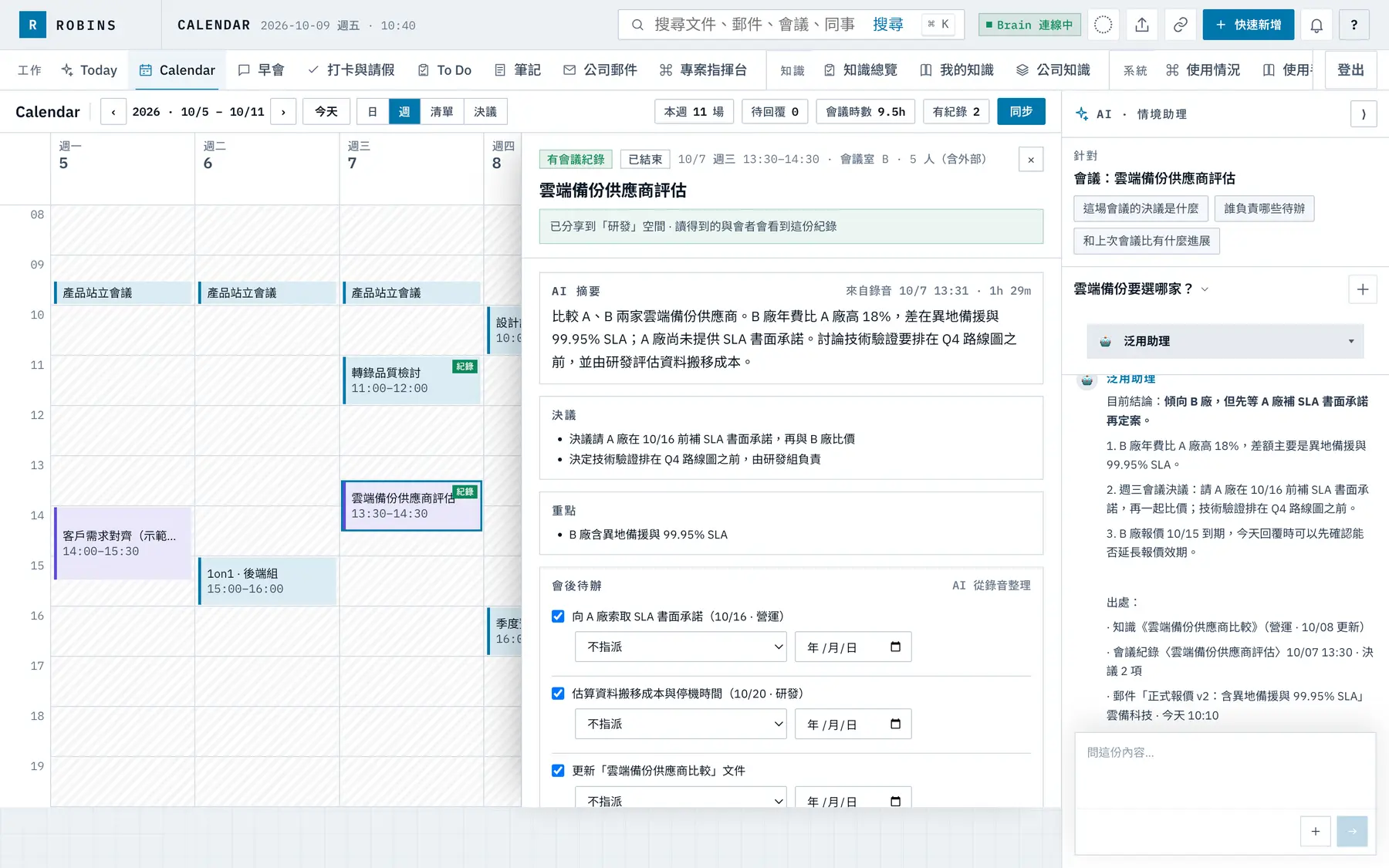
Meeting recordings become transcripts and summaries with follow-ups assigned right after; AI flags risks and to-dos in company mail; Calendar pre-meeting prep is ready automatically.
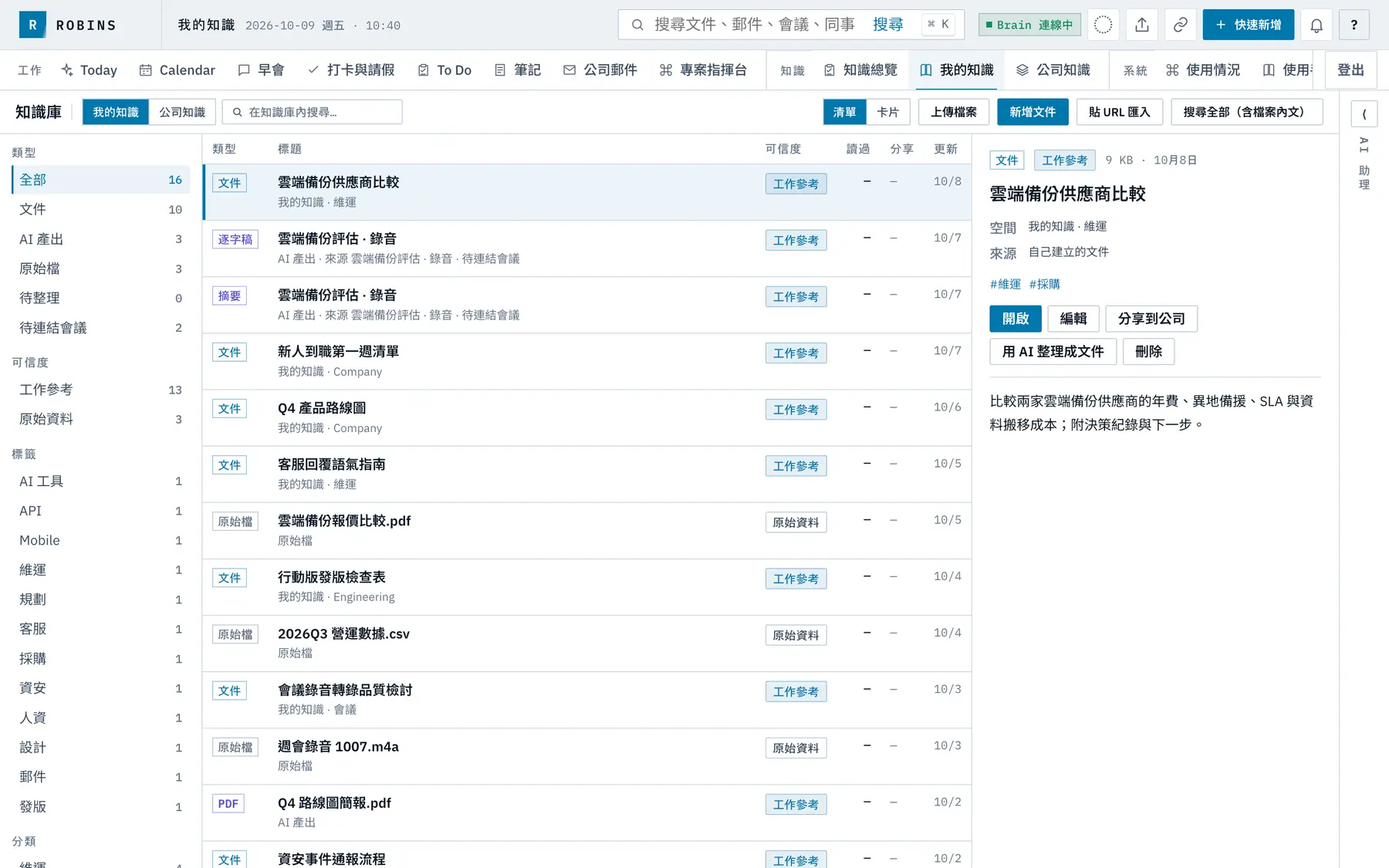
Personal, team and company knowledge spaces with credibility labels and a review process; the knowledge overview shows gaps, reach and trends.
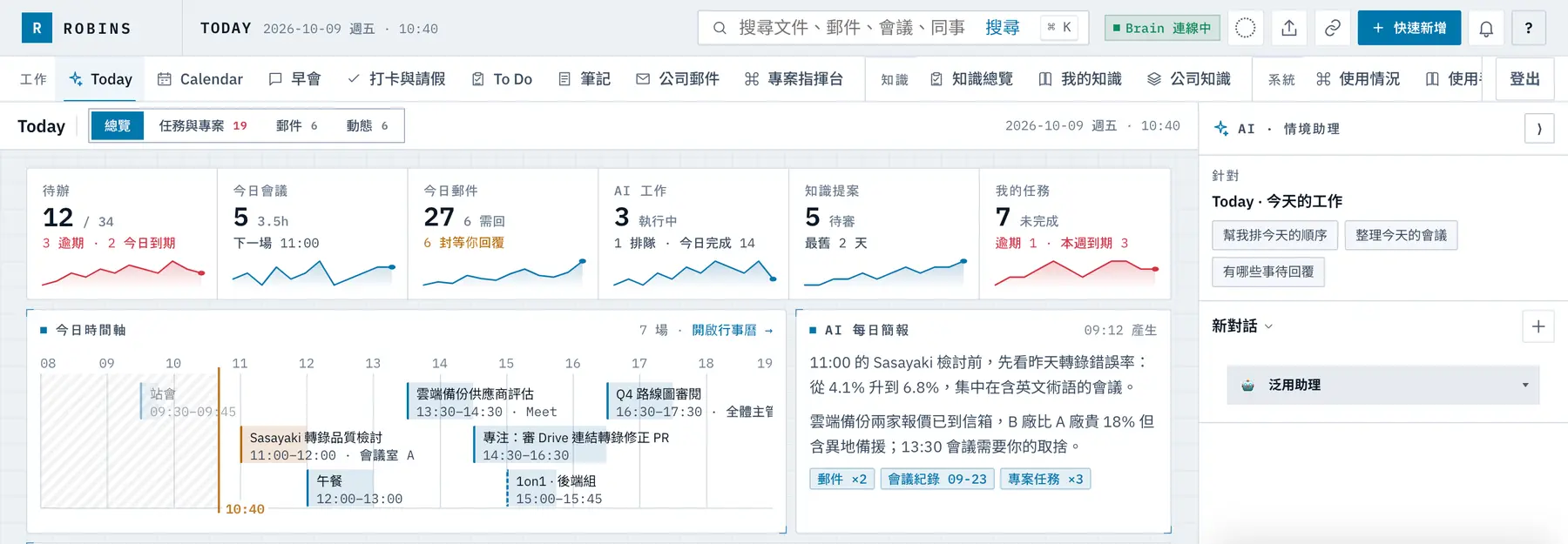
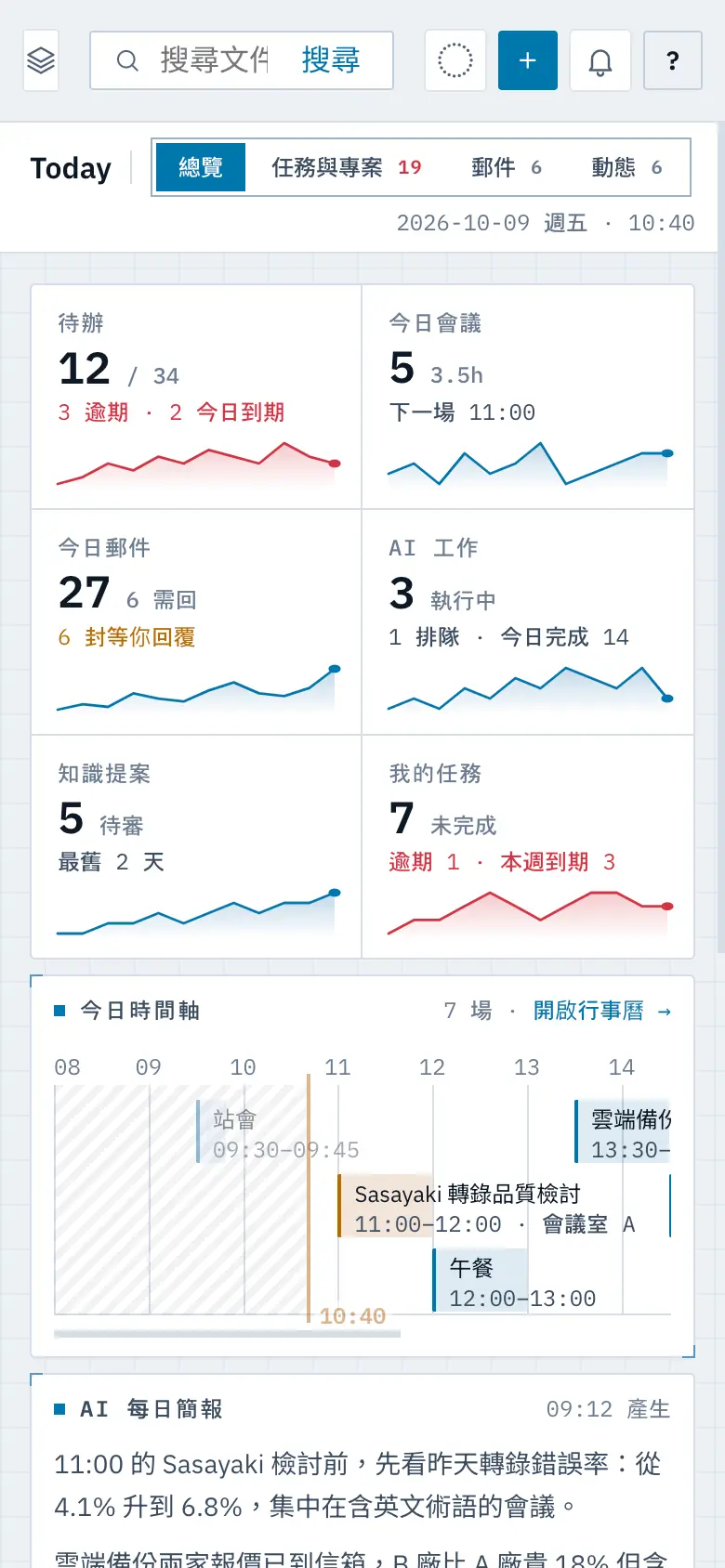
Today shows to-dos, the AI daily brief and the timeline on one page; stand-ups, to-dos, notes, clock-in and leave live in one place; cross-platform push means nothing slips.
02 / AI SIDEBAR · MULTI-AGENT
Ask it anything,
and it tells you where the answer came from.
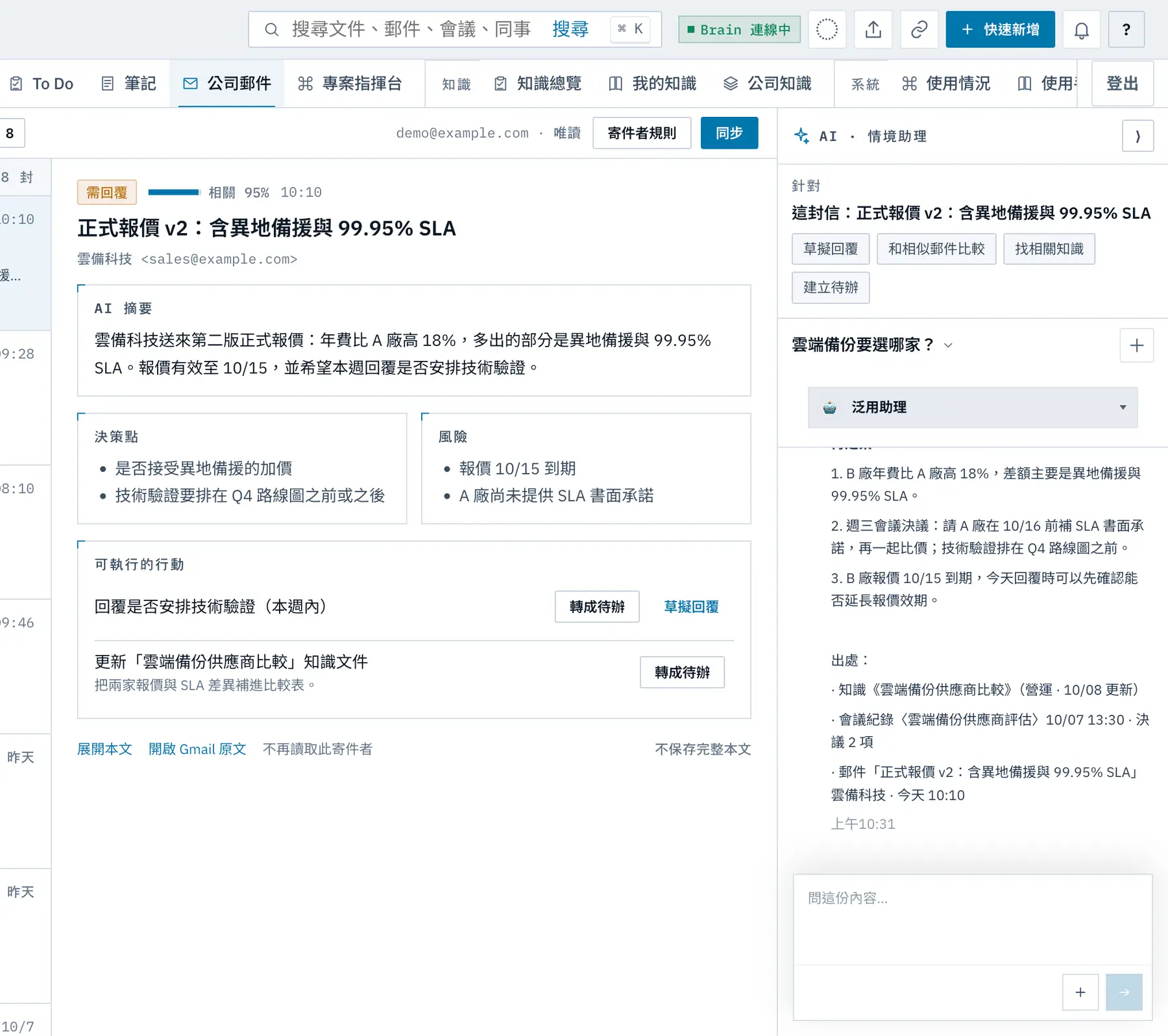
Agents split the work — research, meetings, mail, knowledge and reports each have their own; 15 built-in Skills stand by. Every answer cites its source — which transcript, which email, which knowledge space — and you can click through to check. Need a deliverable? Produce a report, slides or a PDF in one click.
03 / MEETING → TRANSCRIPT → TASKS
The meeting ends and the to-dos are already on your colleagues’ lists.
Recording in, transcript and summary out, follow-ups assigned — by a person pressing the “assign” button. Before the meeting, Calendar prep has already organized last time’s key points.
04 / KNOWLEDGE SPACES
Three layers of knowledge,
each one labeled for credibility.
Personal, team and company knowledge spaces. Every entry carries a credibility label, and important content goes through review before it is promoted to company knowledge. The overview lets managers see where the gaps are, what gets read, and where the trend is going — knowledge flow no longer depends on luck.
05 / MAIL · CALENDAR
Mail is read once before you do,
with risks and to-dos already flagged.
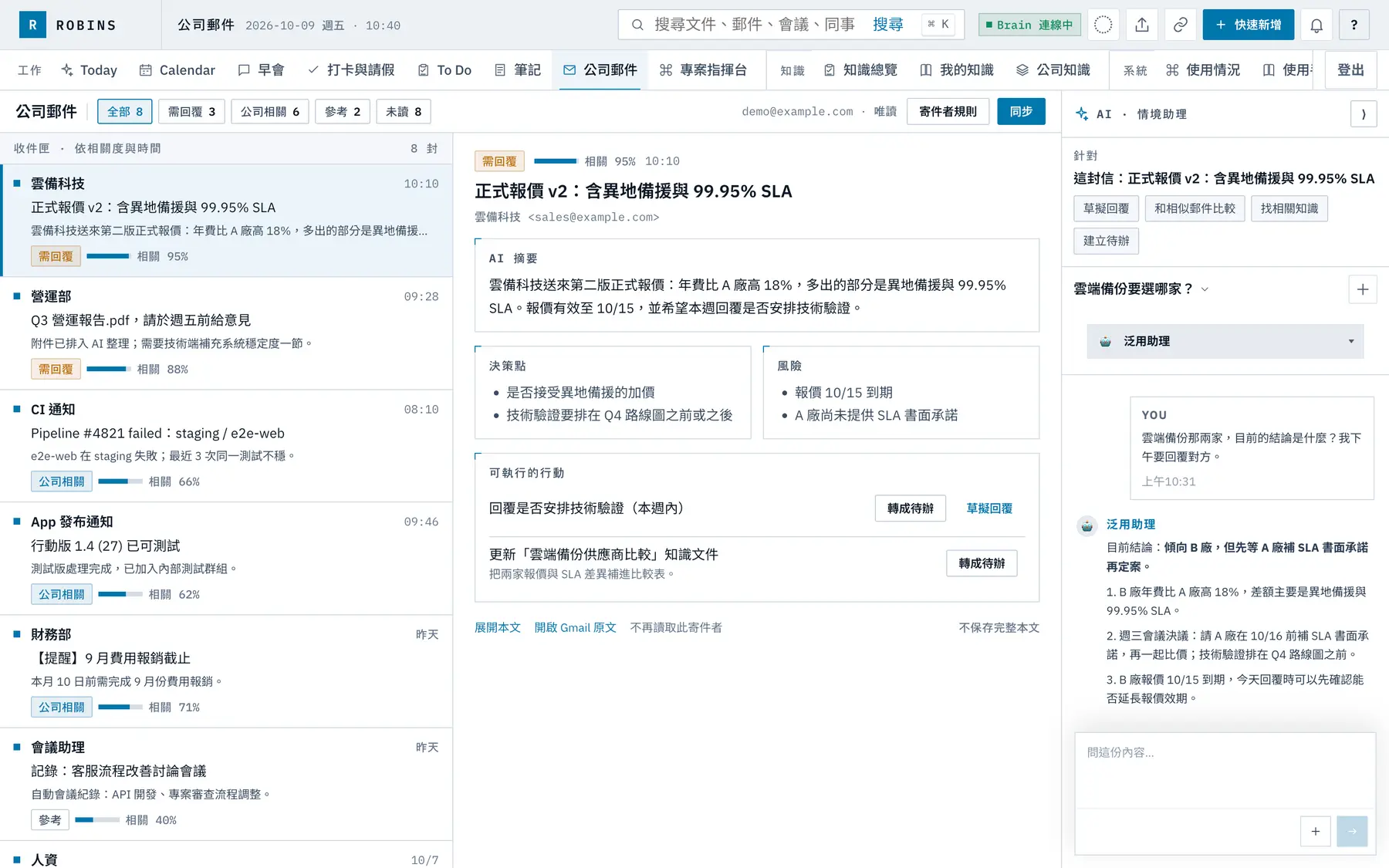
As company mail arrives, AI summarizes it and flags messages with expiry clauses, replies due or decisions needed. Open Calendar and the prep for your next meeting is ready: last time’s key points, related documents, the questions to ask.
06 / PROJECT COMMAND
Board, Gantt, critical path:
three views of the same project.
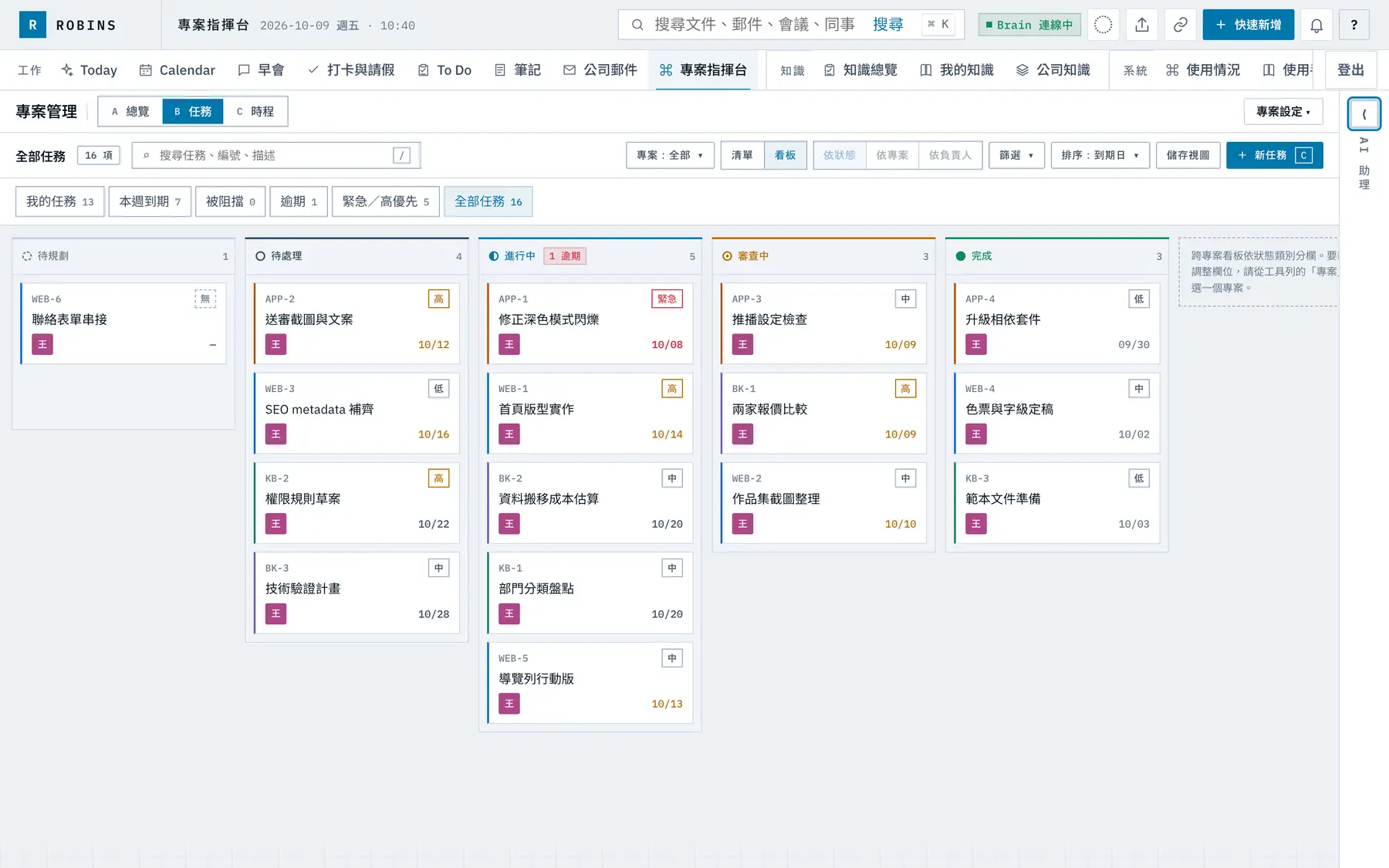
The project command center puts the board, the Gantt chart and the critical path together: a delay shows up on the critical path immediately. Existing Trello boards import directly, so nothing starts from zero.
07 / EVERYDAY · EVERY DEVICE
Stand-ups, to-dos, notes, clock-in —
in your hand wherever you are.
Stand-ups, to-dos and notes live in one place; clock-in, leave and the monthly attendance report need no separate system. Web, iOS and Android share one dataset, and cross-platform push keeps to-dos, meetings and review notices from slipping.
The same Today overview in a mobile browser.
08 / FEATURE MAP · ROBINS ISLAND
One feature, one island.
See the company’s day on a single map.
Web Director draws every work feature as an island in a 3D archipelago, with your current to-dos, unread items and today’s meetings on each one. Drag to rotate 360°, click an island and the camera flies there: see what it does, how much is waiting for you, and jump straight in.
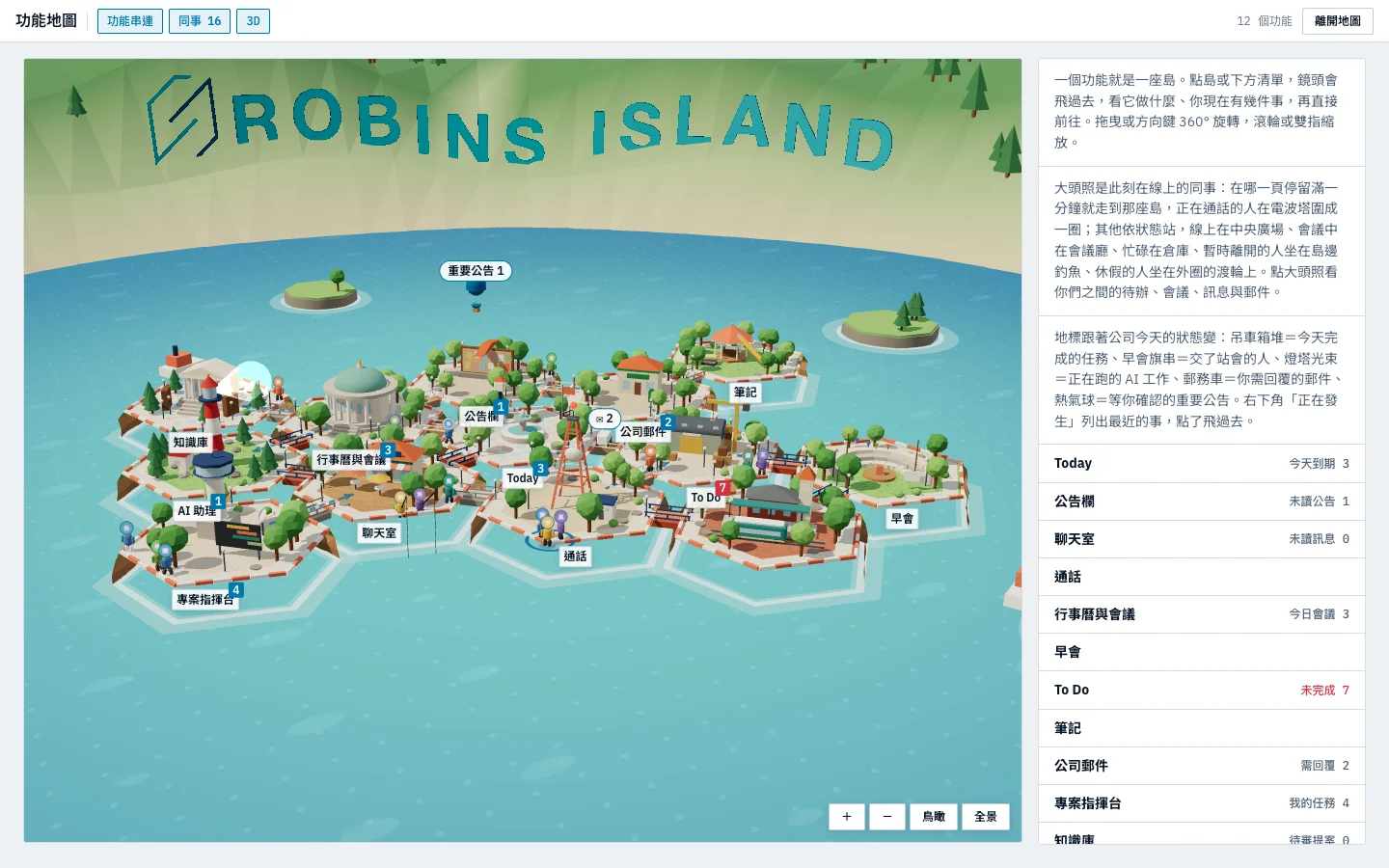
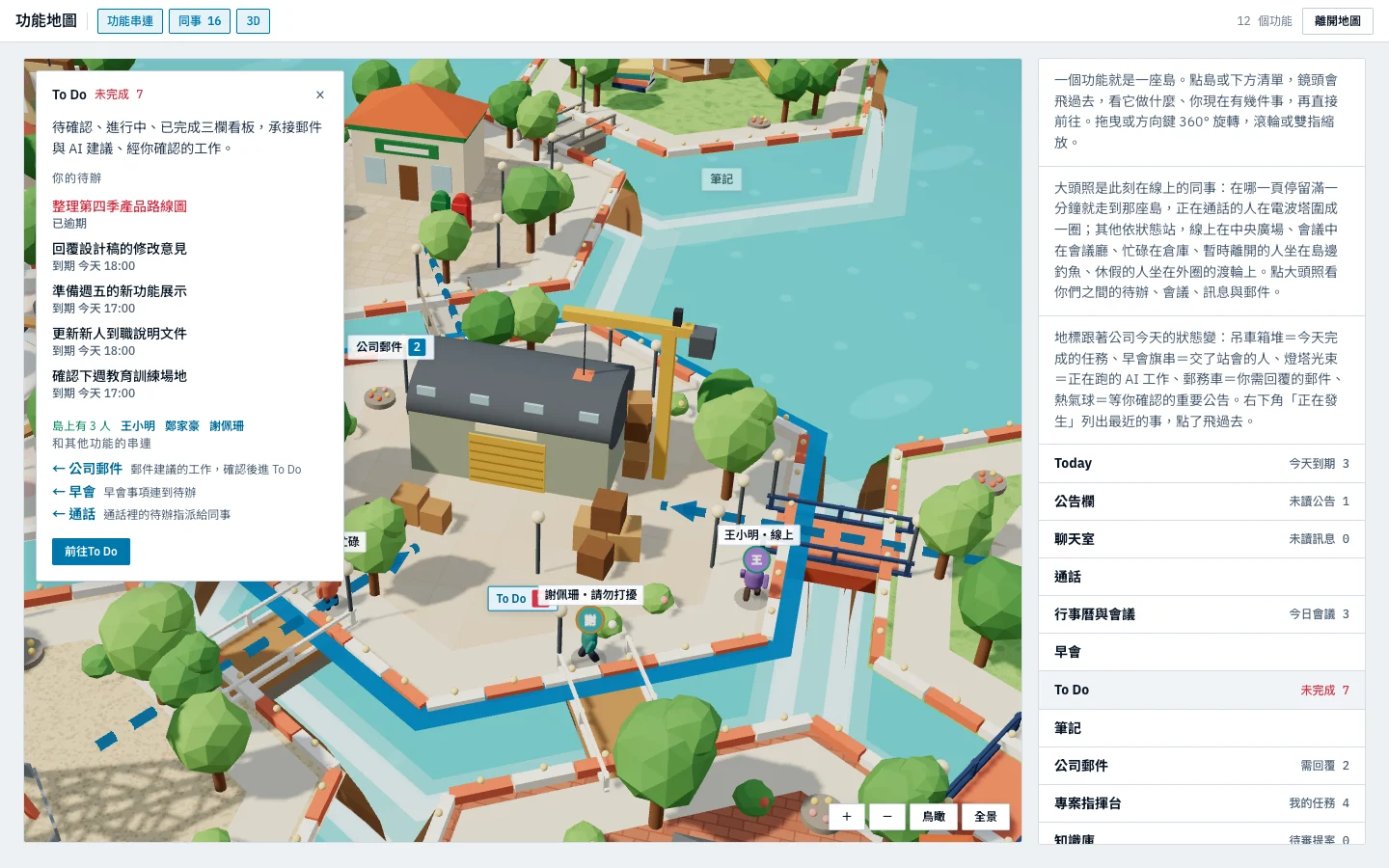
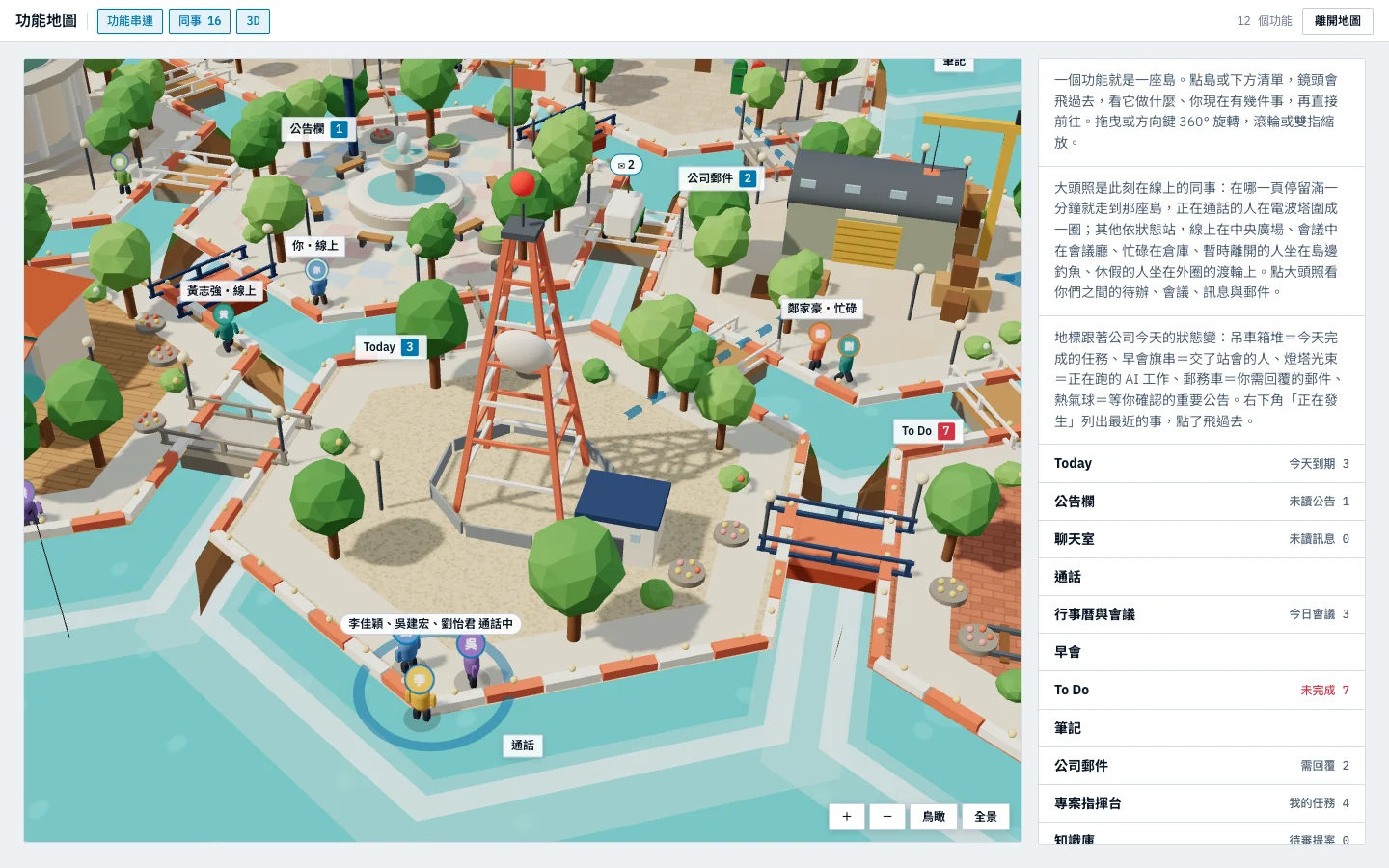
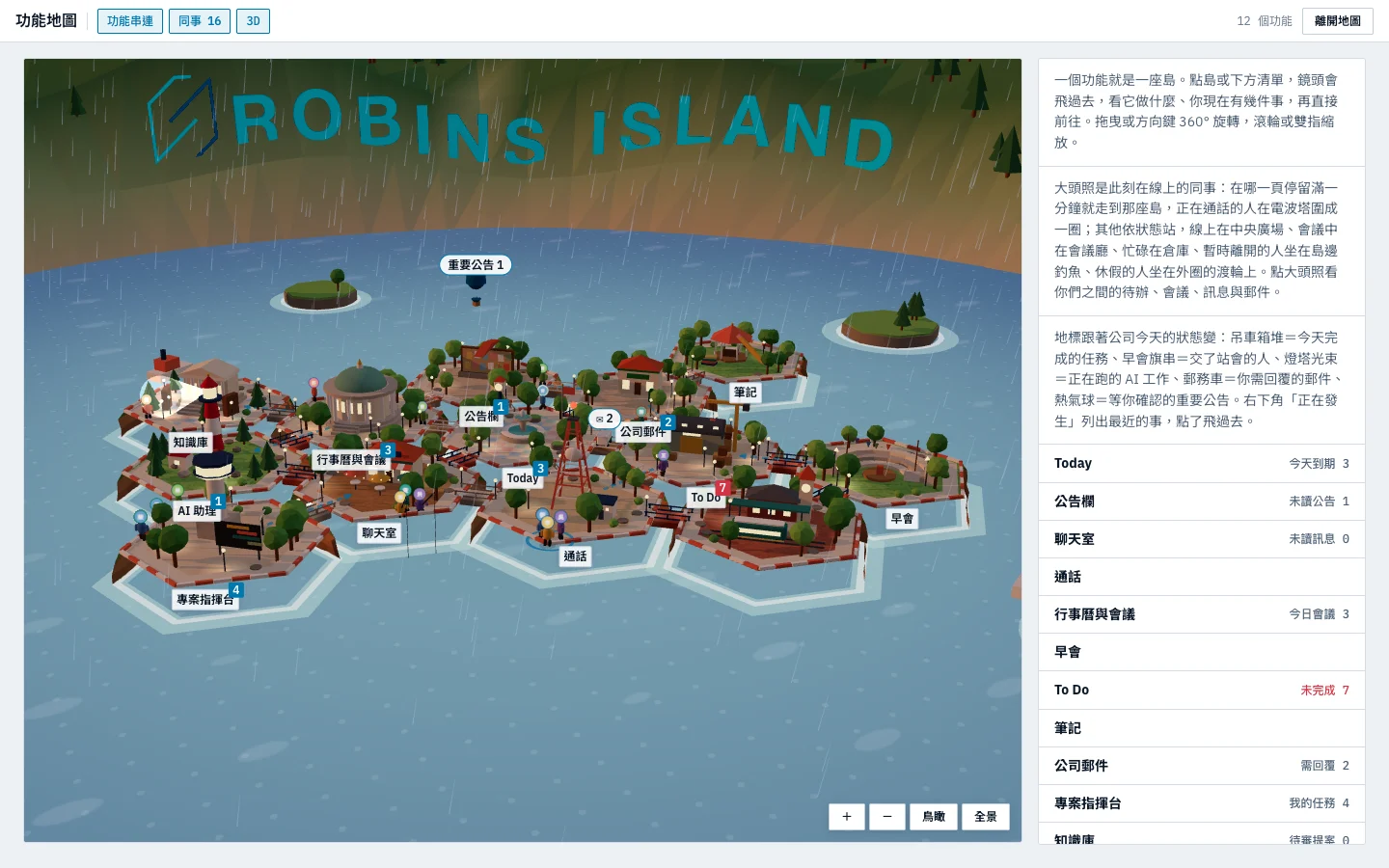
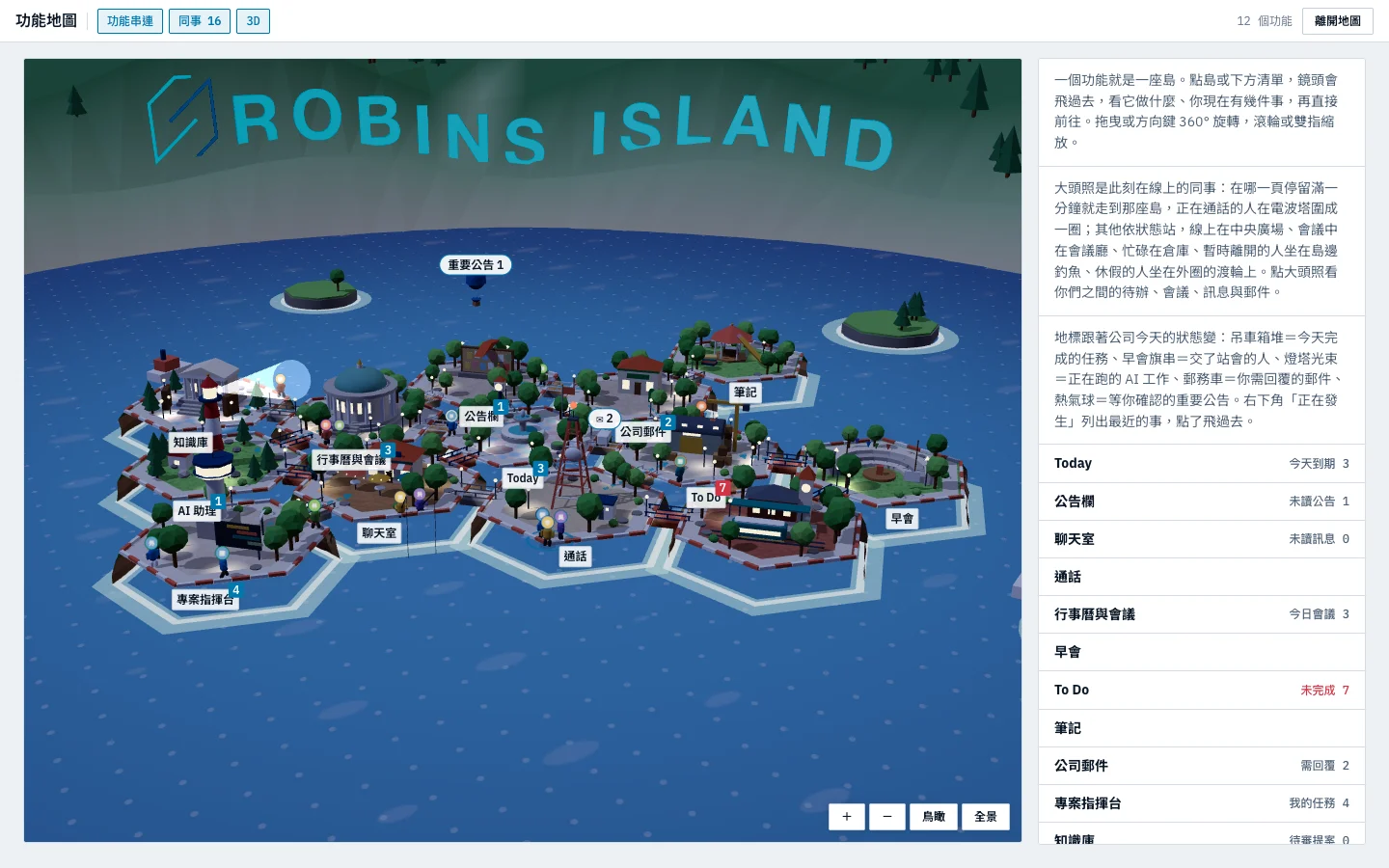
THE FEATURE MAP IN 30 SECONDS
The feature map is part of web Director, requires sign-in and is for company members only. Colleagues’ locations are only drawn on the map: they are not stored in the database or used for attendance or performance. Screens show demo data from a test environment.
09 / TRUST BOUNDARY
AI reads. Writes need a person.
That is the trust boundary we drew.
Letting AI into the company starts with it knowing where its limits are.
Summaries, drafts and suggestions come from AI; assigning to-dos, updating knowledge and sending mail are always confirmed by a person.
Every answer names the transcript, email or knowledge space it came from, and you can click through to check.
Knowledge does not count just because it was written: it carries a credibility label, and important content is reviewed before it becomes company knowledge.
Extensions run in a sandbox: they cannot reach data they should not, and cannot touch the core system.
Web and the Flutter app share one OpenAPI contract, one permission model and one dataset — there is no “looser mobile version”.
10 / UNDER THE HOOD
Every layer of the stack
exists so that AI can be trusted.
From multi-agent orchestration to a Rust server, from a shared contract to the sandbox, Director’s technical choices follow one standard: stable, fast, verifiable.
The full workbench: knowledge, meetings and the project command center live here.
The Flutter app shares the same data and contract, and push never slips.
Research, meetings, mail, knowledge and reports each have their own agent; Skills are extensible.
Performance and memory safety together, stable over long runs.
One contract, two implementations; change once, consistent everywhere.
The trust boundary lives in the architecture, not in a policy document.
Extensibility is not a back door.
NEXT / BRING DIRECTOR TO YOUR COMPANY
Let AI move into your company,
starting with a conversation.
Tell us where your workflows get stuck,
and we will demo the product we use every day.
PEOPLE DECIDE.
Book a Director demo
A 30-minute online demo: Today, the AI sidebar, meeting-to-task flow, and the knowledge review process.
Email us